 PinTube
Pin a YouTube video. Come back weeks later, right where you stopped.
PinTube is a browser extension for courses, lectures and other long videos. It keeps the ones you choose, with your progress and your timestamped notes, until you are done with them.





Free and open source. No account, and nothing leaves your device.
The store listings are on their way. Until then you can build it from the source on GitHub.
How it works
 Click the pin
Your second is saved
Click the pin
Your second is saved
Pin the video
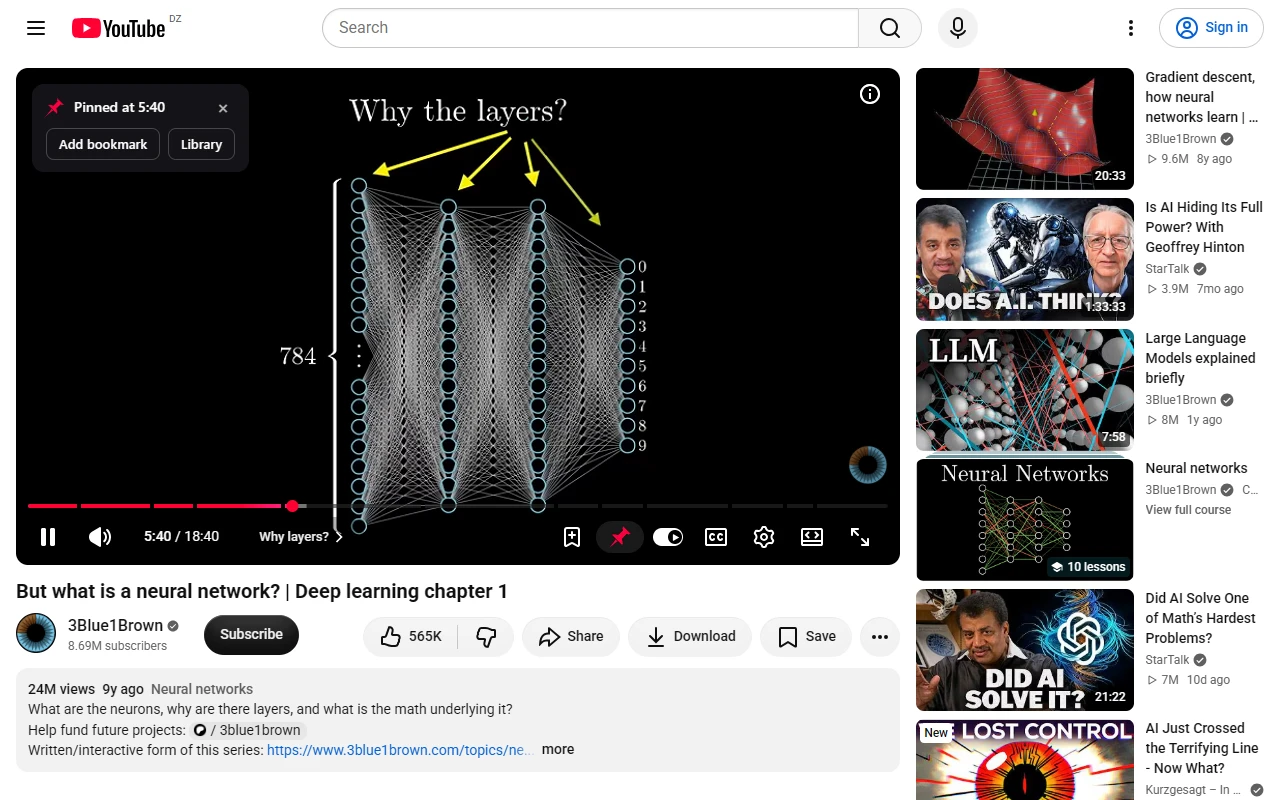
Click the pin in the player controls. PinTube saves the video and the second you are at, then keeps that position up to date while you watch.
 Bookmark this moment
Add a note, or leave it empty
Bookmark this moment
Add a note, or leave it empty
Mark the moments that matter
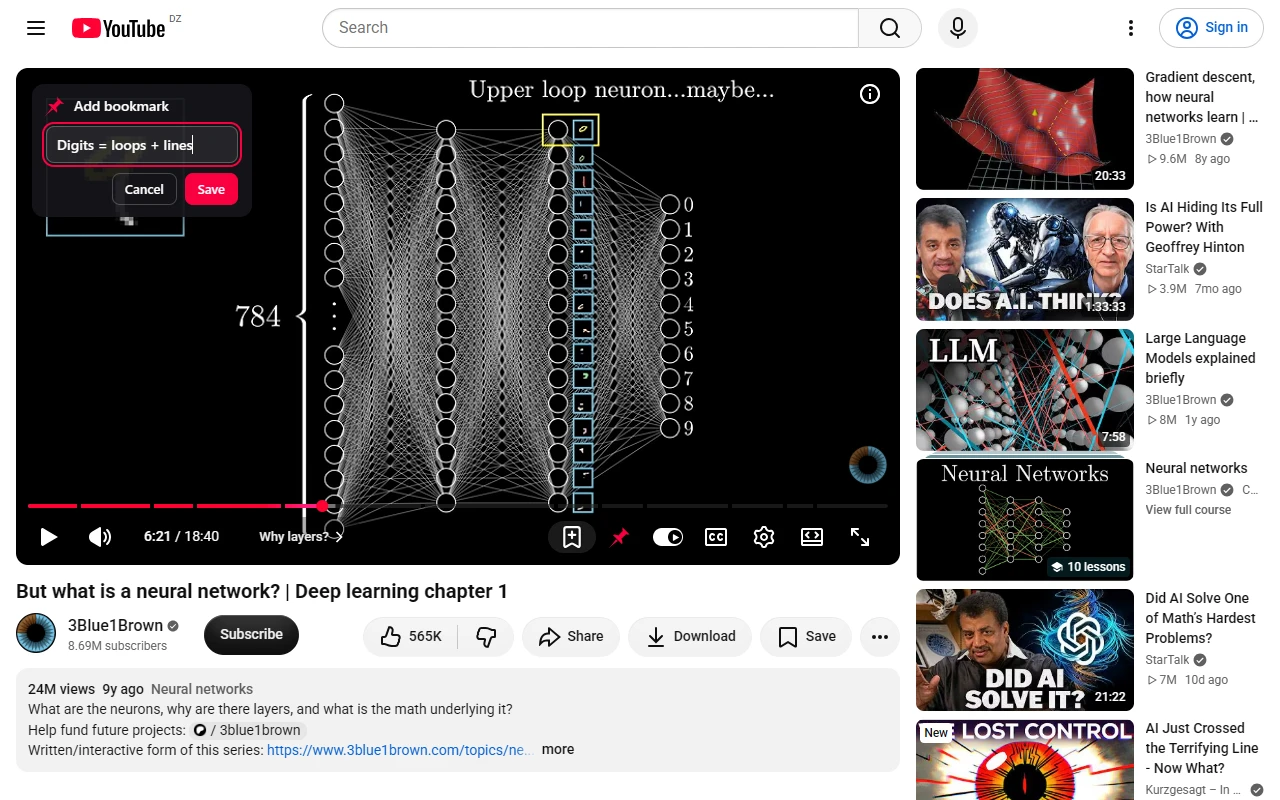
The bookmark button saves the current second with an optional note. The video waits while you type, then carries on.
 Jump to any bookmark
Unfinished videos, one click away
Jump to any bookmark
Unfinished videos, one click away
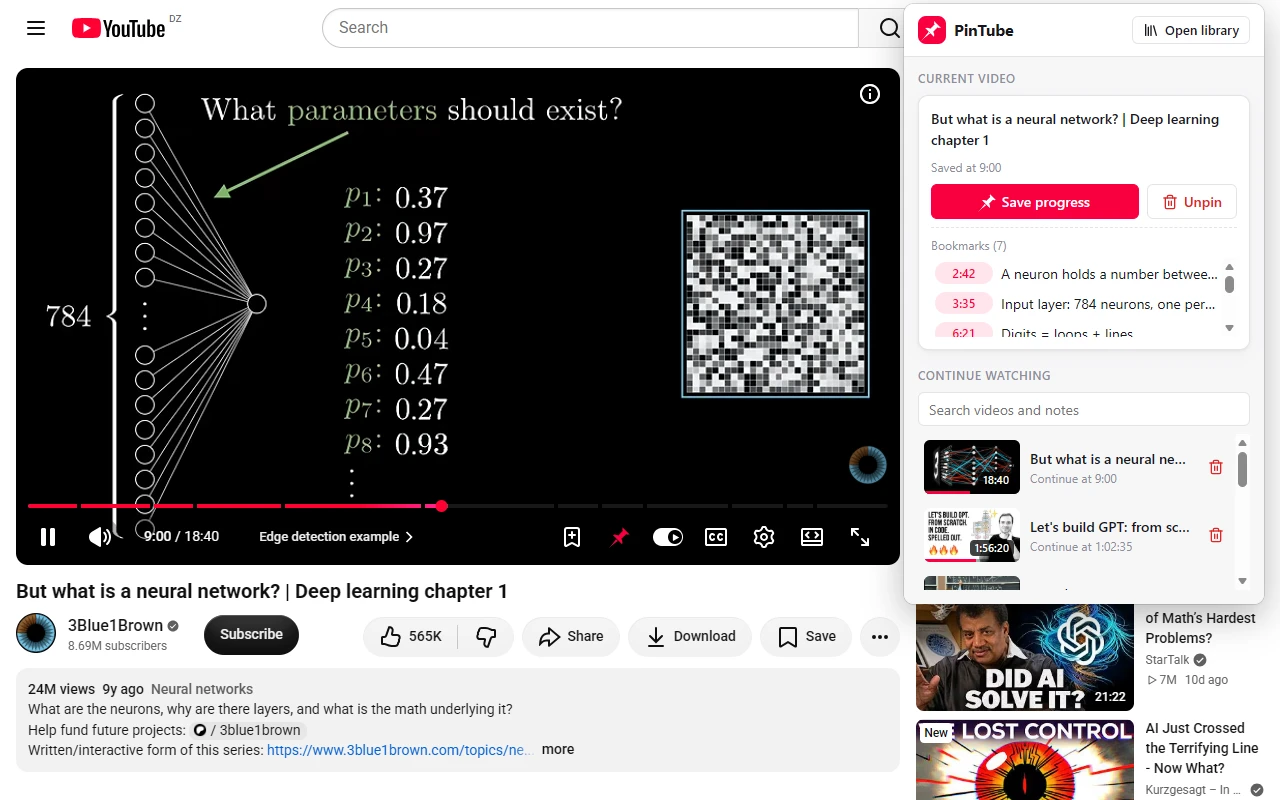
Find it again in one click
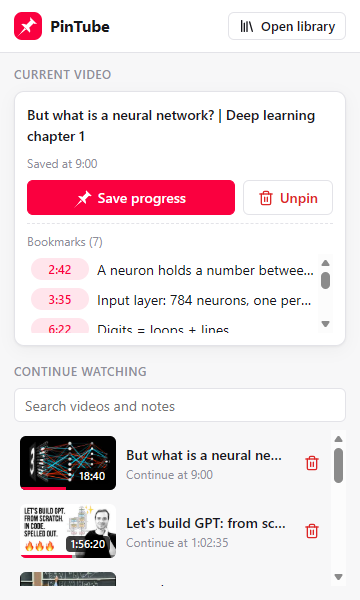
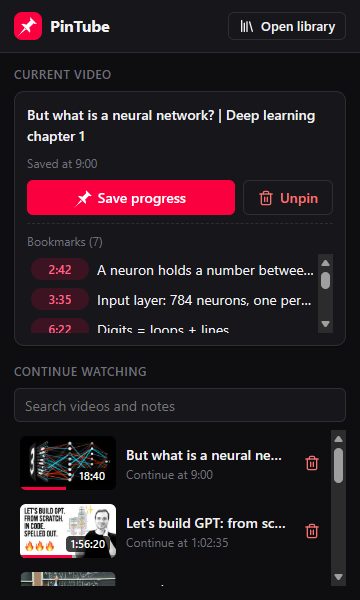
The toolbar popup lists the videos you have not finished, newest first. It also shows the bookmarks of the video in front of you.
 Back to your second
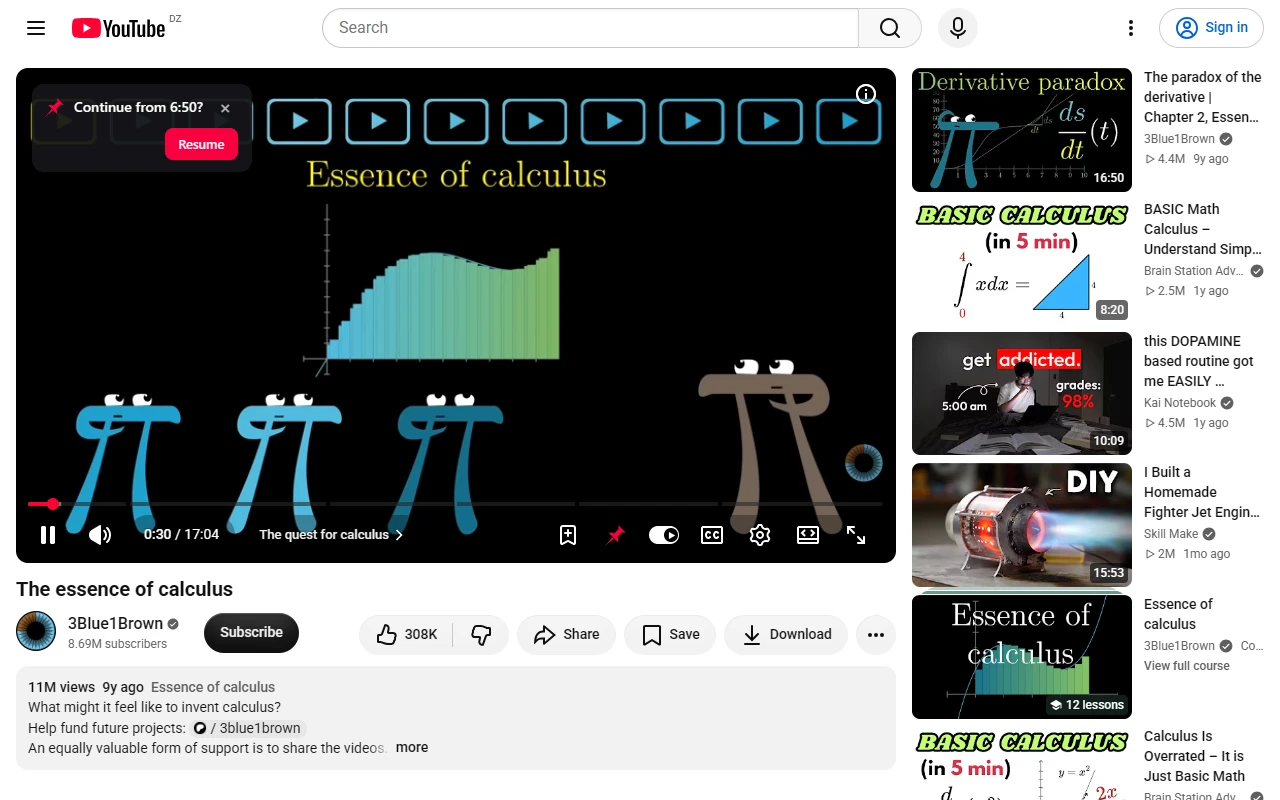
Carry on where you stopped
Open a pinned video days or weeks later and PinTube offers to take you back to the second you left at.
 Courses and their progress
Search, filter and sort
Courses and their progress
Search, filter and sort
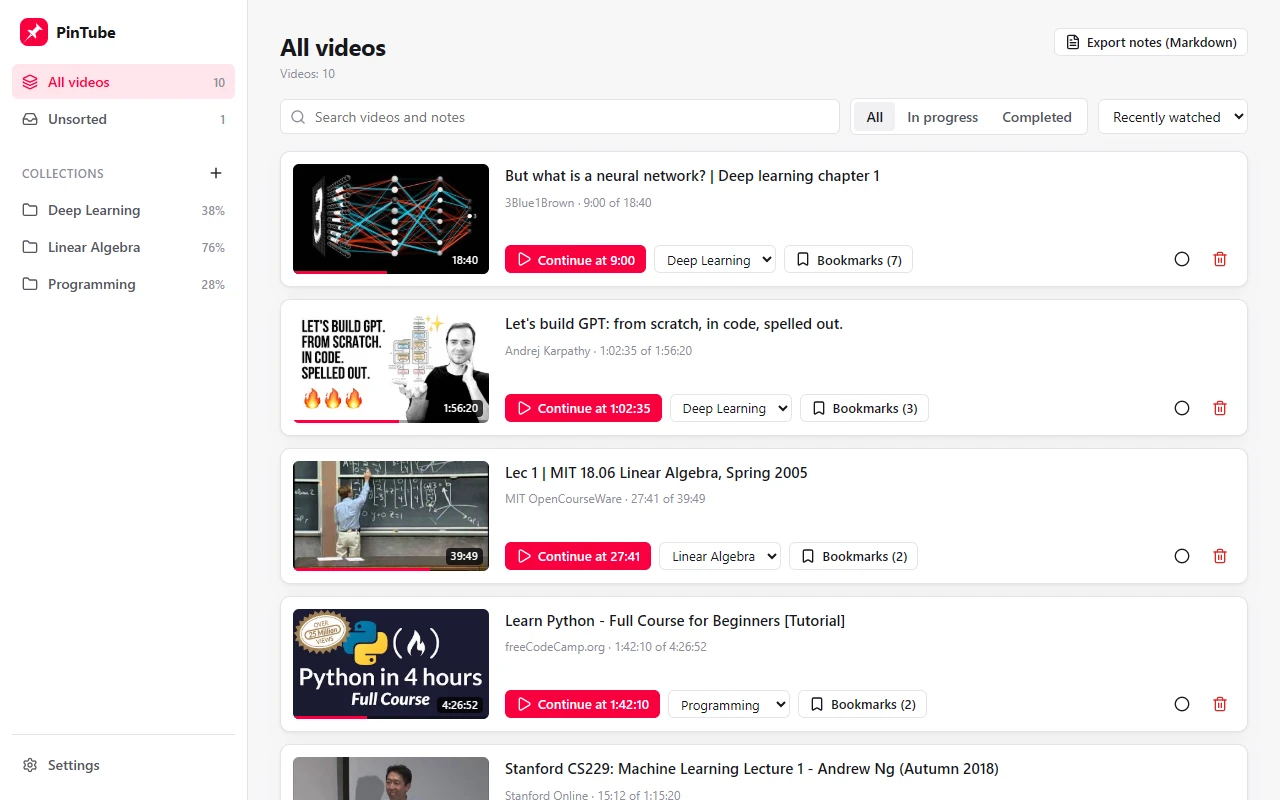
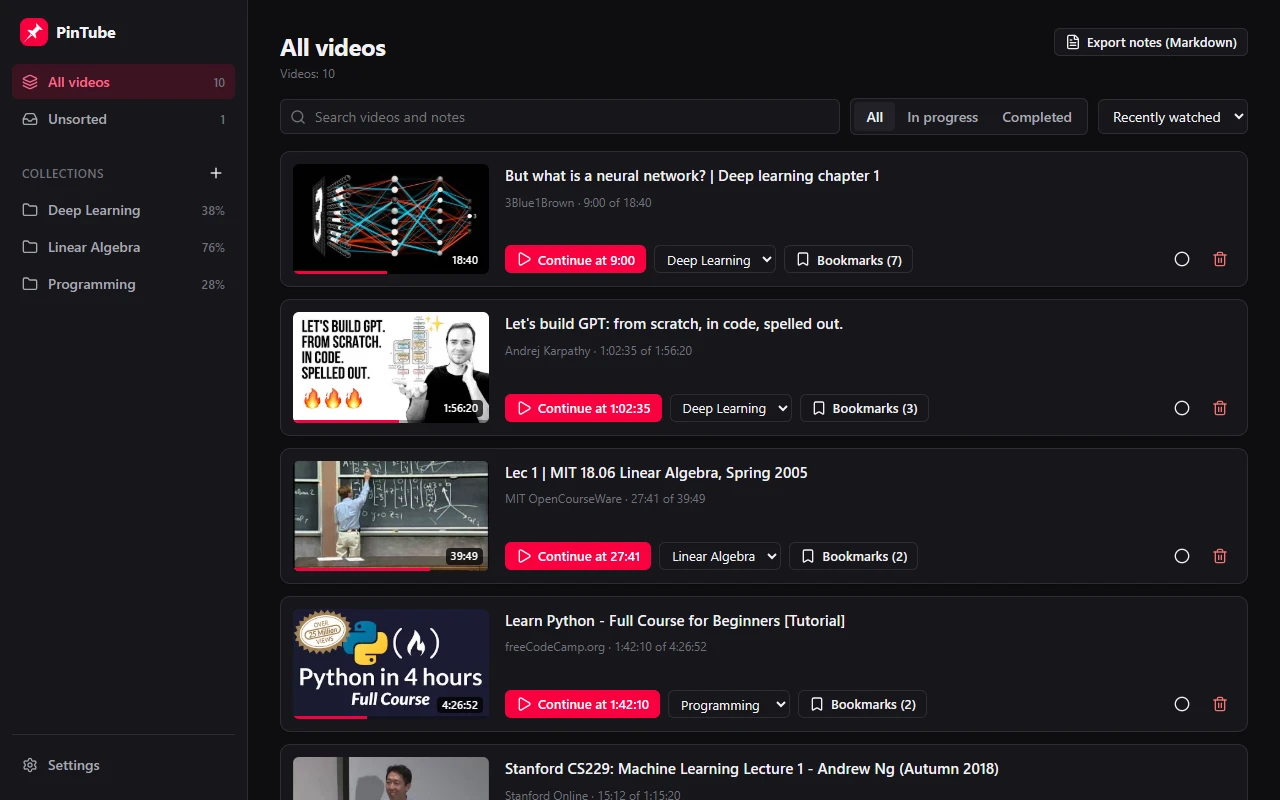
Keep courses in order
Group videos into collections and watch the progress of each course add up. The library follows your light or dark theme.
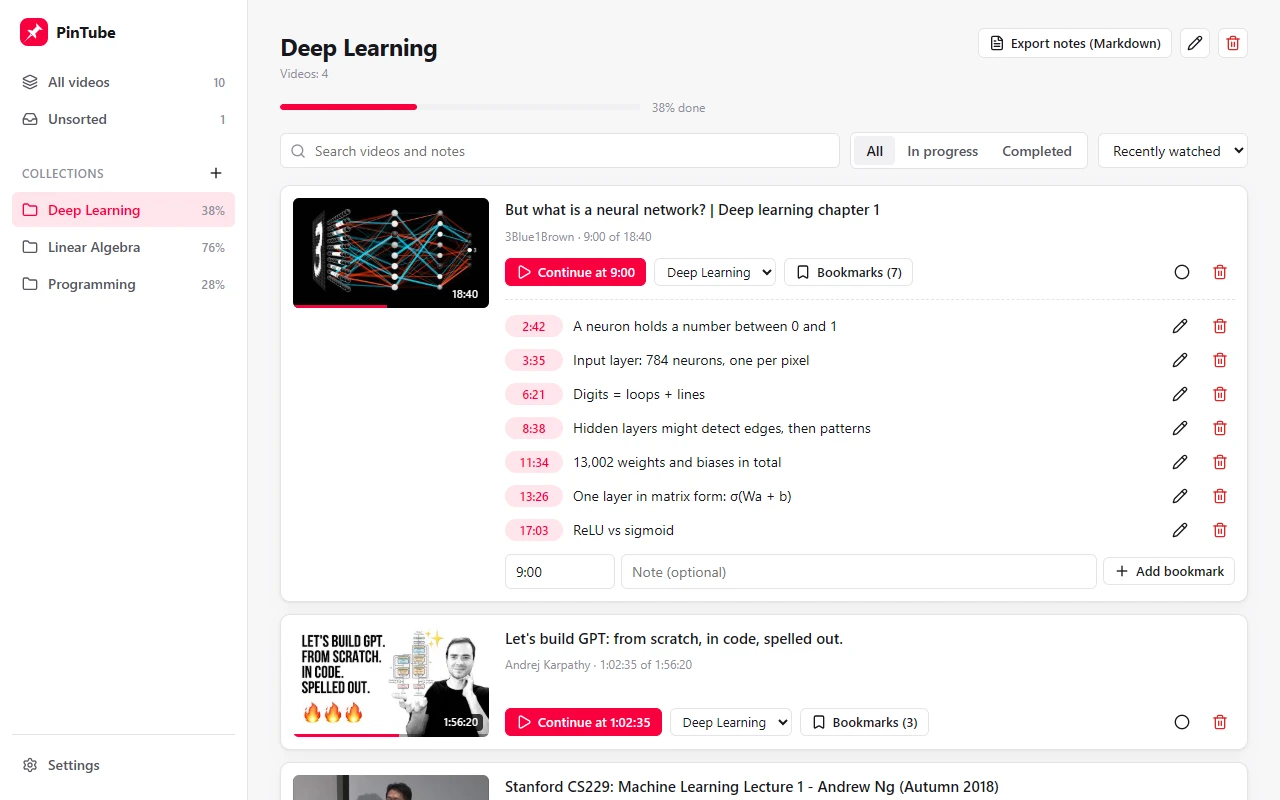 Timestamped notes
Export as Markdown
Timestamped notes
Export as Markdown
All your notes, next to their video
Every bookmark with its note. Edit them, add one by typing a time, search them, or export a whole course as Markdown.
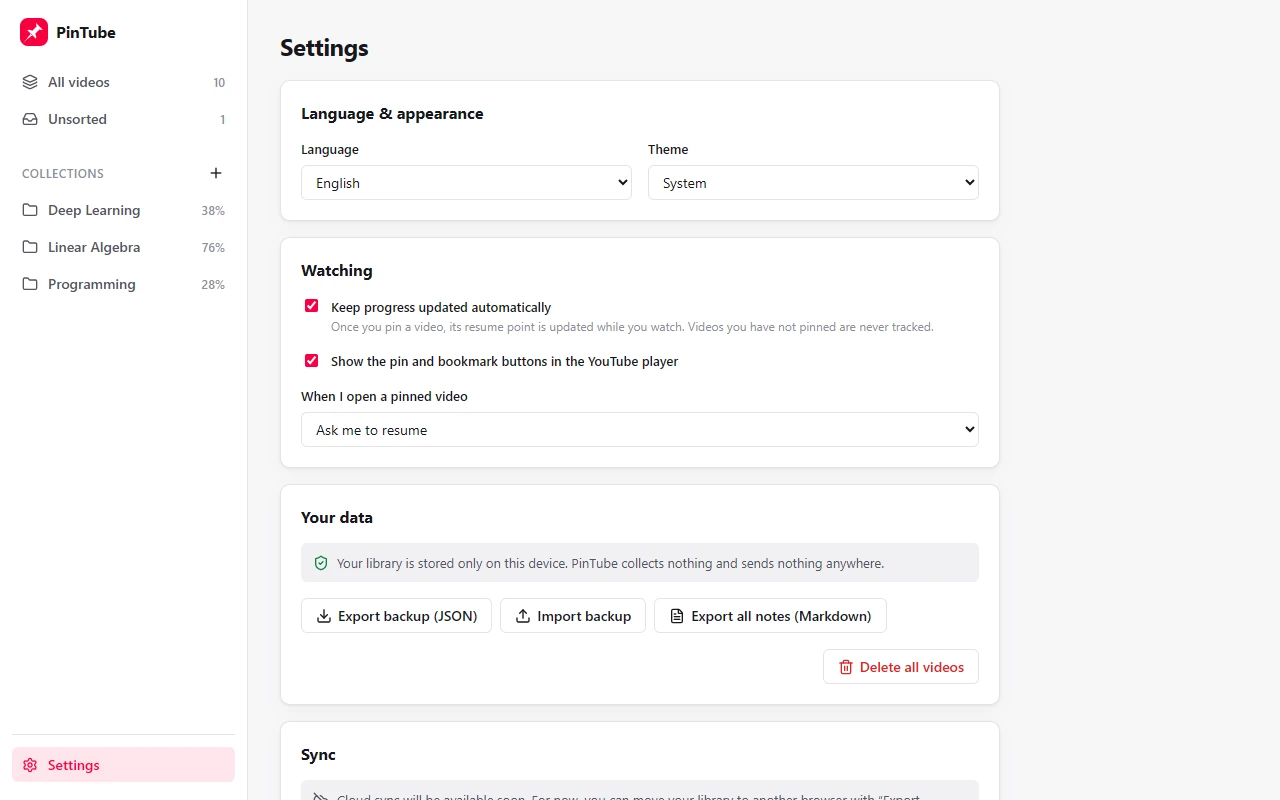 Nothing leaves your device
Back up or move your library
Nothing leaves your device
Back up or move your library
Yours, and only on your device
No account and no server. Back up to a file, move to another browser, or delete everything whenever you like.
Everything it does
There is no paid tier and no limit to unlock. This is the whole list.
In the YouTube player
- Pin button
- A pin sits in the player controls. One click saves the video and the exact second you are at.
- Bookmark button
- Mark the current moment and add a note if you want one. The video pauses while you type.
- One bookmark per second
- Bookmark the same second again and you edit its note instead of creating a duplicate.
- Visible in full screen
- Confirmations and prompts appear inside the player, so they follow you into full screen.
- Aware of ads
- Nothing is saved while an ad is playing, so an ad never becomes your resume point.
- Out of the way
- Prefer a clean player? Hide the two buttons in settings and use the toolbar popup instead.
Progress and resume
- Progress that keeps itself
- Once a video is pinned, its position is updated as you watch and saved again when you pause, seek or leave.
- Resume your way
- Be asked first, resume automatically with a “Start over” button, or never. You choose in settings.
- Safe to re-watch
- Going back to watch a part again does not pull your resume point backwards.
- Finished means finished
- A video is marked completed when you reach its end. You can also mark it yourself, or undo it.
- Only what you pin
- Videos you have not pinned are never tracked. Automatic saving can be switched off, too.
- No YouTube account needed
- It works when you are signed out of YouTube or have your watch history turned off.
In the toolbar popup
- Continue watching
- Your ten most recent unfinished videos. Click one and it opens at the saved second.
- Search from the toolbar
- Search titles, channels and notes across your whole library. Enter opens the first result.
- The video in front of you
- Save progress, unpin, or jump to any of its bookmarks without leaving the tab.
In the library
- Collections for courses
- Group videos into collections and see how far along each one is, weighted by watch time.
- Search, filter, sort
- Search videos and notes, show only what is in progress or completed, and sort by recently watched, recently added, progress or title.
- Notes you can edit
- Add a bookmark by typing a time, rewrite a note, delete one. A time beyond the end of the video is refused.
- Easy to tidy
- Move videos between collections, rename a collection, or delete one and keep its videos.
Your data
- Stays on your device
- No account, no server, no analytics, no ads. Your library is never sent anywhere.
- Backup and restore
- Export everything to a file and import it in another browser. Importing merges, and the newer version of each item wins.
- Notes as Markdown
- Export the notes of one collection or of the whole library, ready for Notion or Obsidian.
- Two permissions
- Storage, and access to youtube.com. It runs on no other site.
Fits your setup
- Five browsers
- Chrome, Edge, Brave, Opera and Firefox, from one code base.
- Three languages
- English, Arabic with a full right-to-left layout, and Spanish.
- Light and dark
- Pick a theme or let it follow your system.
- Light on your browser
- No background timers. Nothing runs until you pin a video, and a pinned video is saved at most every ten seconds.
- Open source
- Licensed under AGPL-3.0, so anyone can read exactly what it does.
Questions
How is this different from YouTube’s history or Watch later?
YouTube remembers everything you watch, and Watch later turns into one long list. PinTube keeps only the videos you pin, in a short list you reach from the toolbar, each with its exact second, your notes and its course.
What data does PinTube collect?
None. Your library is stored in your browser and is never sent anywhere. There is no account, no analytics and no advertising. The details are in the privacy policy.
Is it really free?
Yes: every feature, with no limits and no paid tier. The code is open source under the AGPL-3.0 license.
Can I use my library in another browser or on another computer?
Yes. Export a backup in Settings and import it on the other side; the two libraries are merged. Automatic sync between devices is planned for a later release.
Which browsers does it work in?
Chrome, Edge, Brave, Opera and Firefox, on a computer.
Which permissions does it ask for?
Storage, to keep your library, and access to youtube.com, to add its buttons to the player. Nothing else.